
diff options
| author | Christine Dodrill <me@christine.website> | 2021-02-24 21:04:15 -0500 |
|---|---|---|
| committer | GitHub <noreply@github.com> | 2021-02-24 21:04:15 -0500 |
| commit | f8c2897765b41e90c7e32944ae412f8c56c90b4a (patch) | |
| tree | f0751961e560a5c61d617083bf6dade5ed4414bd /blog | |
| parent | c6482fe2fca344241b18a857769e5715c230acc6 (diff) | |
| download | xesite-f8c2897765b41e90c7e32944ae412f8c56c90b4a.tar.xz xesite-f8c2897765b41e90c7e32944ae412f8c56c90b4a.zip | |
Vrchat writeup (#333)
* first part of the VRChat for gmeets writeup
Signed-off-by: Christine Dodrill <me@christine.website>
* more words
Signed-off-by: Christine Dodrill <me@christine.website>
* polishing touches
Signed-off-by: Christine Dodrill <me@christine.website>
Diffstat (limited to 'blog')
| -rw-r--r-- | blog/convoluted-vrchat-gchat-setup-2021-02-24.markdown | 214 |
1 files changed, 214 insertions, 0 deletions
diff --git a/blog/convoluted-vrchat-gchat-setup-2021-02-24.markdown b/blog/convoluted-vrchat-gchat-setup-2021-02-24.markdown new file mode 100644 index 0000000..d813455 --- /dev/null +++ b/blog/convoluted-vrchat-gchat-setup-2021-02-24.markdown @@ -0,0 +1,214 @@ +--- +title: "My Convoluted VRChat Google Meet Setup" +date: 2021-02-24 +tags: + - oculusquest2 + - vr + - vrchat +--- + +# My Convoluted VRChat Google Meet Setup + +Recently the place I work for sent us all VR headsets. I decided to see what it +would take to use that headset to make my camera show a virtual avatar instead +of my meat body face. This is the story of my journey through chaining things +together to make work meetings a bit more fun by using a 3D avatar instead of +myself in some of them. + +[This post uses SVG for diagrams to help explain what's going on here. You may +need to use a browser with SVG support in order to get the best experience with +this article. All the diagrams will be explained after the fact so that people +using screen readers are not left out.](conversation://Mara/hacker) + +<center> + +<blockquote class="twitter-tweet"><p lang="en" dir="ltr">Working at <a href="https://twitter.com/Tailscale?ref_src=twsrc%5Etfw">@Tailscale</a> is great. They sent us all an Oculus Quest 2! <a href="https://t.co/dDhbwO9cFd">pic.twitter.com/dDhbwO9cFd</a></p>— Cadey A. Ratio (@theprincessxena) <a href="https://twitter.com/theprincessxena/status/1362871906597224456?ref_src=twsrc%5Etfw">February 19, 2021</a></blockquote> <script async src="https://platform.twitter.com/widgets.js" charset="utf-8"></script> + +</center> + +So, let's cover the basics from a high level. At a high level a webcam is just +a video source that may or may not have a microphone attached to it. So in +order to get my avatar to show up in a video call, I need some way to make some +window on my computer act as a webcam. This will make the overall dependency +list look like this (for those of you using screen readers I will describe +this diagram below): + +<center> + + + +</center> + +VRChat renders to the Desktop which is picked up by OBS which has the ability +to pretend to be a webcam, which is finally picked up by Google Meet. + +If the VR headset that I got from work was a tethered to the PC kind of VR +headset like the Valve Index or HTC Vive, the next steps would involve full +body tracking or something so that I could have my movements in real life +transfer into movements that my avatar makes. + +However, the VR headset we got sent was an Oculus Quest 2. This is a +_standalone_ VR headset that is basically an Android tablet that you strap +to your face. This makes things a bit more technically challenging because +now you need some way to get the video to the headset and the motion tracking +data from the headset and to the computer at 90 times per second. This requires +a bit more cleverness. + +The Oculus desktop software ships with a feature called Oculus Link that allows +you to use a gaming PC to render the VR data to your headset by sending the +video streams over USB. I had to dig around for a compatible cable (It needs to +be a specific kind of USB-3 to USB-C-3 cable with at least 5 gigabits per +second of transfer capacity) since the ones that +[Oculus sells](https://www.oculus.com/accessories/oculus-link/) are both at +least CAD$110 and out of stock anywhere I can find them in Canada. The 0.75 +meter long cable I had been using was good enough to get me through the first +couple days of experimenting with VR, but it was clear that a better solution +was needed. + +I did some digging and found a bit of software called +[ALVR](https://github.com/alvr-org/alvr#readme) that claimed to let me do VR +from my computer wirelessly. So I set it up on the Quest and on my tower, +which brought up the dependency graph to this: + +<center> + + + +</center> + +ALVR talks with its counterpart on the Quest. This allows you to stream the VR +video and audio bidirectionally. You also need to bring Virtual Audio Cable +into the setup so that you can hear stuff in the game and so that other people +can hear you using the headset mic. However, ALVR is not available on the Quest +store. You need to install [SideQuest](https://sidequestvr.com/setup-howto) for +that. + +[SideQuest lets you sideload Android APK files to your Quest 2 because the +Quest 2 is basically an Android tablet that you strap to your face!](conversation://Mara/happy) + +So I used SideQuest to install the ALVR client on my Quest 2, and then I opened +up VRChat and was able to do everything I was able to do with the wired cable. +It worked beautifully until it didn't. I started running into issues with the +video stream just dying. The foveated encoding (tl;dr: attempting to hack the +image quality based on how eyes work so you don't notice the artifacting as +much) could only do so much and it just ended up not working. Even when I was +only doing it for short amounts of time. There is a lot of WiFi noise in my +apartment or something and it was really interfering with ALVR's stream +encoding. The latency was also noticeable after a bit. + +However, when it worked it worked beautifully. I had to upgrade to the nightly +build of ALVR in order to get game audio and the headset mic working, but once +it all worked it was really convenient. I could walk around my apartment and +I'd also walk around in-game. + +A friend told me that the best experience I could have with wireless VR using a +Quest 2 would be to use [Virtual Desktop](https://www.vrdesktop.net). Apparently +Virtual Desktop has a +[patch that enables SteamVR support](https://sidequestvr.com/app/16), so I +purchased Virtual Desktop on a whim and decided to give it a go. + +Virtual Desktop made ALVR look like a tech demo. All of the latency issues were +solved instantly. Virtual Desktop also made it convenient for me to access my +tower's monitors while in VR, and it has the best typing experience in VR that +I've ever used. + +This brings the dependency graph up to this: + +<center> + + + +</center> + +Now all that was left was to make the camera view look somewhat like it does +when I'm using my work laptop's webcam to make video calls. I started out by taking a picture of my office from about the angle that my laptop sits at. +I ended up with this image: + +<center> + +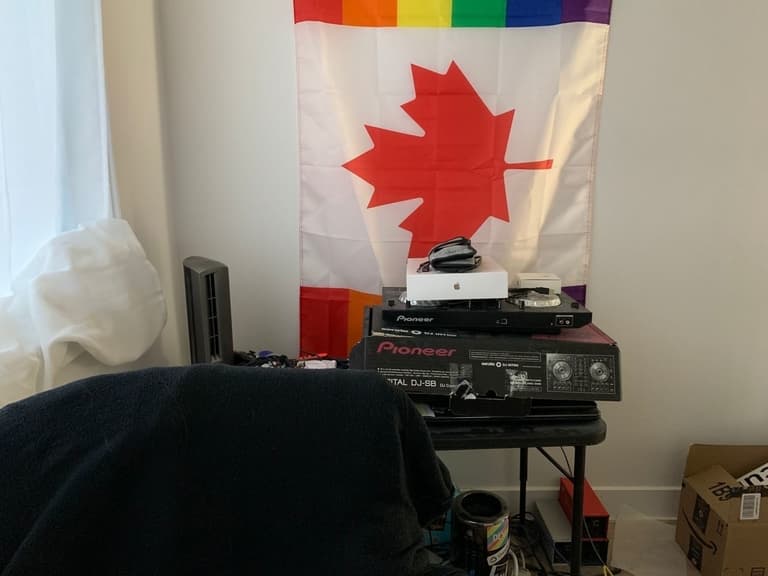 + +</center> + +Then with some clever use of the +[Chroma key filter in VRChat](https://docs.vrchat.com/docs/vrchat-201812) +I was able to get some basic compositing of my avatar onto the picture. I +fiddled with the placement of things and then I was able to declare success +with this image I posted to Twitter: + +<center> + +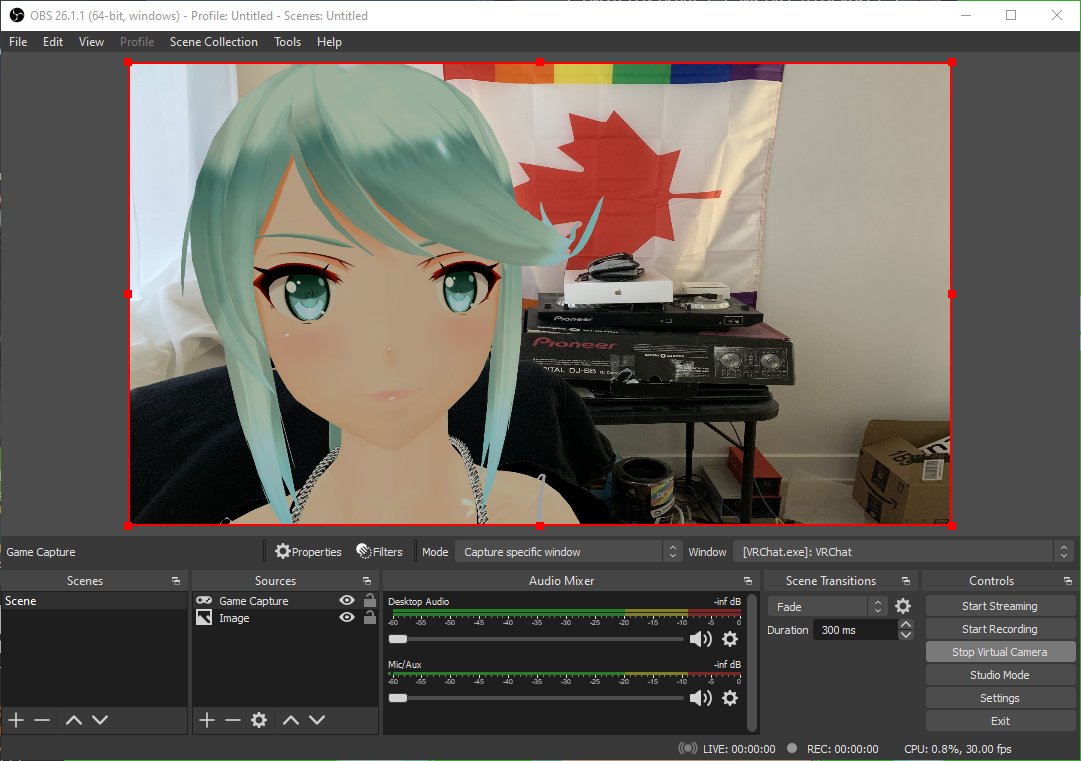 + +</center> + +And it worked! I was able to make a call in Google Meet to myself and my +avatar's lip movements synchronized somewhat with the words I was saying. I +had waifu mode enabled! + +[The avatar being used there is based on a character from Xenoblade Chronicles +2 named Pneuma.](conversation://Mara/hacker) + +However, this setup was really janky. I didn't actually get the proper angle +for what my work laptop's camera would actually see. Everything was offset to +the side and it was at way the wrong angle in general. I'm also not sure if I +messed up the sizing of the background image in the OBS view, it looks kinda +stretched on my end as I'm writing this post. + +So I decided that the best way to get the most accurate angle was to record a +video loop using my work laptop's webcam. After some googling I found +[webcamera.io](https://webcamera.io) which let me record some footage of my +office from my work laptop's camera angle. I got down under the desk (so I was +out of view of the camera) and then recorded a 45 second loop of my office +doing nothing (however the flag was slightly moving in the breeze from the desk +fan). + +I also found a VRChat world that claimed to be as optimized as you could +possibly make a VRChat world. It was a blue cube about 30m by 30m. Checking +with SteamVR it brought my frame times down to 3 milliseconds with the stream +camera set up for OBS. It looks like this: + +<center> + +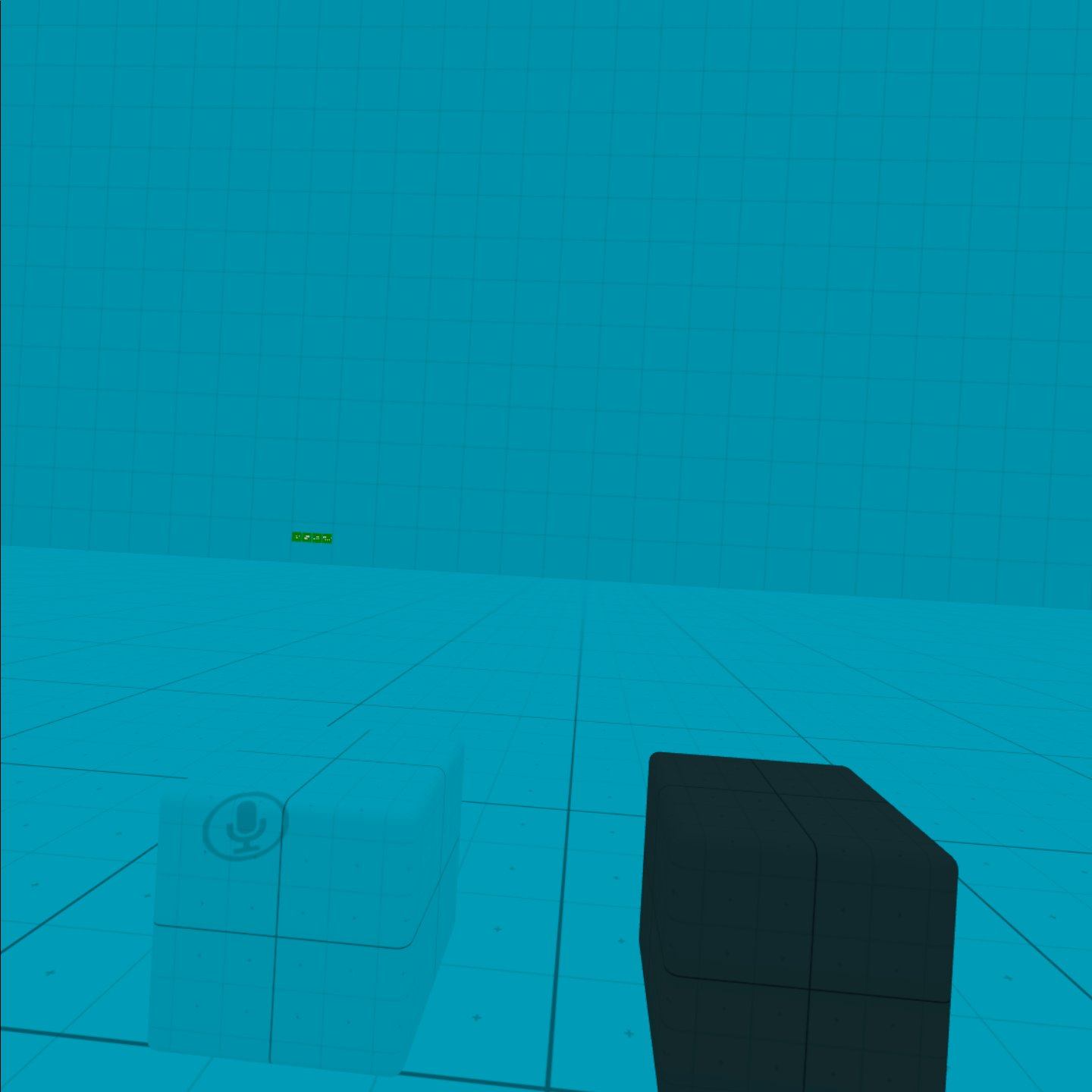 + +</center> + +It's very minimal. You can make the walls go away if you want, which somehow makes it render faster on my RX5700. I'm not sure what's going on there. + +[I'd heckin' love to get a new GPU but until the Bitcoin prices go down we may +be stuck with this setup for a while. An RTX 3070 would really be useful about +now.](conversation://Mara/hacker) + +Anyways, with this minimal world incurring very little to no GPU load, I was +free to do video calls all I wanted. I even did a call with the CEO of the +company I work for with a setup like this. It was fun. + +Now I had everything set up. I can pop on the headset, load up the world, open +OBS, VRChat, Virtual Desktop and get everything set up in about 5 minutes at +worst. Then I can use the seeing your desktop side of Virtual Desktop to +actually watch the meeting and be able to see screen sharing. They can hear me +because Virtual Desktop pipes the headset microphone audio back to my tower, +and the meeting audio comes over my headphones. + +Also at some point I needed to bring AutoHotKey into the mix, so I borrowed +this AutoHotKey script from [SuperUser](https://superuser.com/a/429845) to +resize the VRChat window so that it would fit perfectly into the OBS view: + +```ahk +#=:: ; [Win]+[=] + WinGet, window, ID, A + InputBox, width, Resize, Width:, , 140, 130 + InputBox, height, Resize, Height:, , 140, 130 + WinMove, ahk_id %window%, , , , width, height + return +``` + +Making the VRChat window smaller also helped with the frame times, because it +needed to render less detail per frame. This helped push the framerate +comfortably above 72 FPS in my VR view. + +That is how I get a 3d avatar to show up instead of pictures of the meat golem +I am cursed inside of for work meetings. I will also use this for streaming +coding in the future, so you can all witness the power of a VTube coding stream +where I write Rust or something.
\ No newline at end of file |