---
title: "waifud Progress Report #2"
date: 2022-08-27
series: waifud
tags:
- zfs
- xeact
vod:
twitch: https://www.twitch.tv/videos/1567645298
youtube: https://youtu.be/ttnqi1dRXIA
hero:
file: colorful-bliss
prompt: The legend of zelda breath of the wild, windows xp wallpaper, vaporwave style, anime influences, miyazaki moment
ai: "Midjourney"
---
Hey, it's been a while since I wrote [the last
update on waifud](https://xeiaso.net/blog/waifud-progress-2022-02-06), my
cluster-oriented cloud-in-a-box solution for people with too much hardware and
not enough things to do with them, and I've gotten a bunch of things done to
make using it easier.
I now use waifud for all of my VM needs and it is more than living up to my
expectations. I use waifud on stream constantly whenever I need to make a
virtual machine as part of explaining concepts. I am slowly working towards a
point where other people will be able to install and use it, but I am making
sure to take the time to do it right as opposed to just shoving it out of the
door and running away.
## What is waifud?
waifud is a pet project of mine that I've been working on for over a year now to
try and recreate the magic of the cloud on private infrastructure. I wanted to
use it as a way to explore what the cloud _could_ be if we re-evaluated all of
the design options from scratch and made things conceptually simple. Right now
it has two main parts:
- waifud itself to order around machines running zfs and libvirt
- waifuctl (waifu-cuddle) to give instructions to waifud with CLI commands.
These two things let me manage virtual machines across my homelab so that I can
create fungible virtual machines based on the templates that distributions give
to cloud providers. I wanted to see how far I could get by mostly
reverse-engineering things and making things up when reverse-engineering failed.
## Progress
Over the last 6 months I've managed to land these major features into waifud:
- The beginnings of a real admin UI in a browser
- Scrapers for distribution images
- Addition and removal of a half-baked authentication system using paseto and
yubikeys
- NixOS modules to deploy waifud
- A better name generator for new instances
- manpages for waifuctl
Each of these things does a lot to make the waifud experience a lot more refined
and easier to deal with. I'm gonna cover each of these in their own sections so
that I can go into detail about what was changed, why it exists, and the
benefits it brings.
## Admin UI
One of the biggest pain points in waifud for me has been the fact that I've
needed to SSH into one of my development machines in order to do things with it.
This is fine, most of the time I usually have an SSH session open to one of those
machines and can easily do what I need while hacking away.
However, reality is not nice enough to fit into clever boxes. Sometimes I want
to just quickly "no u"-reboot a virtual machine or take a glance to see where I
should put the next instance. In order to scratch that itch, I made an admin UI.
Here's a screenshot of its home page:

There's a bunch going on here, so I'm going to do that writer thing where I hold
you captive and write a bunch of words to explain what is going on.
### Maud
HTML templating is annoying. In the past I've used things like
[ructe](https://github.com/kaj/ructe) to template HTML from variables passed to
it in Rust. This works, but it has a kinda crap user experience. I've been
keeping my eye on a library called [Maud](https://maud.lambda.xyz/) that lets
you do HTML templating a lot easier.
Maud is a rust macro that lets you write rust-like things and have it get turned
into HTML for you at compile time. It's really nice and I've wanted to
experiment with it more. I use it in waifud for all of the HTML in the admin
console.
### Breadcrumbs in the navbar
When you start in the admin UI the navbar will show a list of the high level
waifud objects that you can peek at. It currently links to the distribution list
page and the instance list page. Take a look at the top of the page here:

Terminology hint! An "instance" in waifud is the combination of a virtual
machine, a base image, a machine to run it on, and finally a user-supplied
cloud-init configuration.
When you click on something, the navbar will change in order to highlight where
you've been. Here's how the navbar looks when you go to the "create an instance"
page:

This is implemented on the server side using a combination of some CSS on an
unordered list and a clever bit of Rust. The main way that this works is that
the base template function signature looks like this:
```rust
use maud::Markup;
pub fn base(
title: Option,
crumbs: Option<&[(&str, Option<&str>)]>,
user_data: User,
body: Markup,
) -> Markup {
// ...
}
```
The crumbs type contains a list of tuples with crumb metadata. The tuples have
two components in them:
- The name of the crumb (such as "Instances" or the instance name itself)
- Maybe the admin UI relative link to the crumb
That is unpacked into this HTML template with Maud:
```rust
maud::html! {
// ...
ul {
li { a href="/admin" { "waifud" } }
@for (name, link) in crumbs {
li {
@match link {
Some(link) => a href=(link) {(name)},
None => span aria-current="page" {(name)},
}
}
}
}
// ...
}
```
This allows me to have the breadcrumbs generated automatically without me having
to care about them. It's pretty nice and I hope it will make my life easier when
trying to navigate waifud's admin console. Here's the CSS that powers that:
```css
.breadcrumb {
padding: 0 0.5rem;
}
.breadcrumb ul {
display: flex;
flex-wrap: wrap;
list-style: none;
margin: 0;
padding: 0;
}
.breadcrumb li:not(:last-child)::after {
display: inline-block;
margin: 0 0.25rem;
content: "/";
}
```
Feel free to steal it.
### Xess and cleancss
Like any good hacker, I have my own [CSS
femtoframework named Xess](https://github.com/Xe/Xess) that I use on basically
everything I write. It allows me to have a uniform, brutalist style that people
have told me immediately identifies that I wrote or made something. The only
major project of mine that does not use Xess is this website. I was going to
make it use Xess at some point, but I'm lazy and spend a lot of my free time
writing these articles so something has to give.
Xess is very minimal. It's designed to style native HTML components so that you
can stop caring about them and focus on the webapp in question. At first, I was
using Xess without making any changes to it. Then I wanted to add a little
profile picture based on tailauth metadata and make it in the upper right hand
corner of the page. At first I just edited Xess like I'm used to, but then I had
a spark of brilliance.
Xess has a Nix package that I use in order to help shove it into various other
projects. One of the tools that the build process uses is
[cleancss](https://www.cleancss.com/css-minify/) to minify the CSS within an
inch of its life. I recently found out that cleancss supports minifying multiple
files into one CSS file and I wrote a terrible script to do that:
```sh
#!/usr/bin/env nix-shell
#! nix-shell -p nodePackages.clean-css-cli -i bash
cleancss -o ./xess.css ./src/xess.css ./src/admin.css
```
I just run that script when I want to test the CSS changes. I was then able to
do everything I wanted with ease.
### Xeact JSX and TypeScript with Deno
I originally wrote [Xeact](https://github.com/Xe/Xeact) as a satirical take on
[React](https://reactjs.org/), a JavaScript library that makes it easier to make
frontend applications in browsers. One of the things I didn't really understand
the point of was [JSX](https://reactjs.org/docs/introducing-jsx.html), a syntax
extension to JavaScript that lets you write HTML inline in JavaScript.
After writing and maintaining applications with Xeact, I understand the point of
this. I have recently cursed Xeact [with JSX
support](https://xeiaso.net/blog/xeact-jsx) as a part of writing the admin UI
for waifud. I use that with something I completely made up called the "Xeact
Component Model" that standardizes the "main logic" for a page. Here is what a
waifud admin page's JavaScript can look like:
```javascript
/** @jsxImportSource xeact */
import { g, r, x, u } from "xeact";
type HipsumProps = {
type: "hipster-centric" | "hipster-latin",
sentences: number,
};
const getHipsum = async ({
type,
sentences,
}: HipsumProps): Promise => {
const resp = await fetch(
u("http://hipsum.co/api/", {
type,
sentences,
"start-with-lorem": "1",
})
);
const text: string[] = await resp.json();
return text;
};
const Hipsum = ({ text }: { text: string[] }) => {
return (
{text.map((para) => (
{para}
))}
Lumbersexual macchiatto
);
};
```
This makes it a lot easier to understand the structure of the pages in question.
The default HTML for importing one of those JavaScript libraries will also pull
in the `Page` function for you:
```rust
use maud::PreEscaped;
fn import_js(name: &str) -> PreEscaped {
PreEscaped(format!(
r#""#
))
}
```
Combined with the manually inlined Xeact functions there, everything gets taken
care of by itself. It's pretty great. These pages also reuse the waifud API as
much as possible, which means that I don't have to reinvent the waifud API but
outputting to HTML instead.
I'm very happy with what I've done with the waifud admin panel and I hope it
will be as useful as the CLI tool long-term.
## HTML scrapers for distro images
One annoying thing that Linux distributions do is that they make the links for
cloud images change constantly and only have a few images on their site at once.
I understand why they do this. Storing all of those images is expensive. This is
very annoying with how waifud was implemented previously because the giant dhall
file of images and hashes was made under the assumption that everything was
permalinks.
They were not.
So now I scrape the HTML with the help of the [scraper
crate](https://docs.rs/scraper/latest/scraper/). It does what it says on the
tin. It lets you turn HTML into structures you can loop over. I use that and
some annoying fiddly code to do things like parse sha256sum files (I have to
deal with _four_ variants of sha256sum files at the time of writing).
It does work though, and every so often I run `waifuctl distro scrape` to update
this list. I need to figure out how to automatically run it as part of waifud.
## Introduced and removed paseto for authentication
waifud's API is kind of powerful. It lets you manage virtual machines and
potentially delete data or make a machine become full of crap. I did not want to
be known as that one person that gave people root over the network, so I made a
stopgap solution: requiring authentication with [paseto](https://paseto.io/)
tokens. I bootstrapped that authentication with yubikey presses.
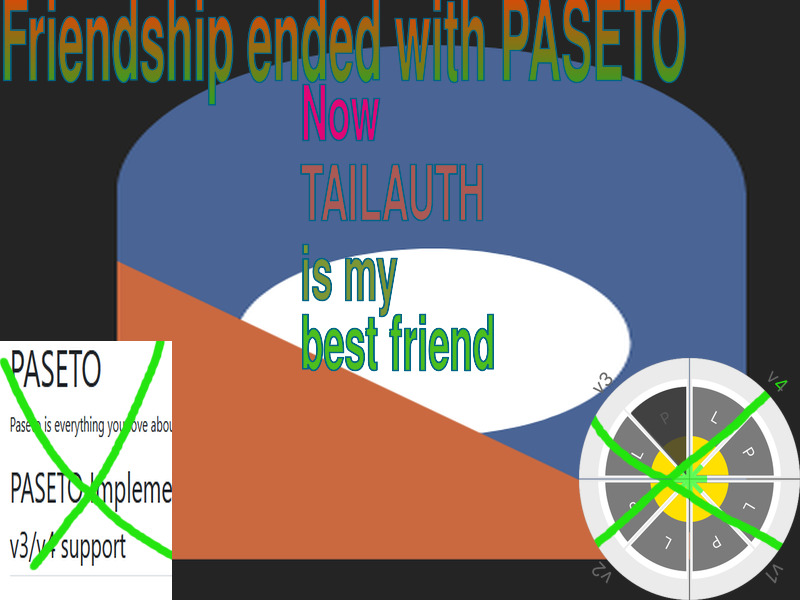
Yeah. It was bad. It's no more though. I ripped it all out and now I use
[Tailscale for authentication](https://tailscale.com/blog/grafana-auth/) in
waifud. The high level idea is to do this:
- Only have your API visible over Tailscale
- Every time an HTTP request is being processed, do a whois request on the
remote IP address with tailscaled
- There is no step 3
And that's it. I implemented it with [this
middleware](https://github.com/Xe/waifud/blob/main/src/tailauth.rs) that works
as an [Axum extractor](https://docs.rs/axum/latest/axum/extract/index.html) to
grab Tailscale metadata out of requests and annotate them with that metadata. It
works really well. If you want to prevent people from accessing the waifud API,
deny them access with Tailscale ACLs.
## Better name generation with the power of Territorial Rotbart
The name generation in waifud used to be powered by a bunch of JSON files that
had a bunch of data that I scraped out of fandom wikis. It would pick one of
those names randomly. However, this is boring and not nearly as unhinged as it
could be.
In Xenoblade games there are superbosses called "Unique monsters" that are
usually very high level very tough to kill bosses scattered around the world so
you are likely to stumble into them and get totally rekt. The naming pattern of
these unique monsters is an adjective and a name. This gets you things like
Territorial Rotbart, the terrifying monkey of doom that wanders around one of
the first areas in Xenoblade Chronicles 2, Gormott.
This is not unhinged enough to make my trollish heart smile, so I took a look at
all of the monsters in Xenoblade Chronicles 2 and I found similar patterns.
There are usually "adjectives" that modify base monster names and different
"adjectives" seem to correlate with different strength tiers of those monsters.
So I chucked everything into a blender. Then I added some laundry sauce in the
form of all of the names of [Blaseball](https://www.blaseball.com) players,
every Pokemon I could find, and all of the names of every pony in My Little
Pony: Friendship is Magic.
This is unhinged enough to make my trollish heart smile. If you want to run
`unique-monster` for yourself, run this `nix run` command:
```
$ nix run github:Xe/waifud/main#unique-monster
sentinel-taisei
wormeater-ekidno
solare-escavalier
denim-gourgeist
officer-ageshu
```
I may release rotbart as a separate library on crates.io if there is sufficient
demand.
## waifuctl UX improvements and manpages
waifuctl had an old version of clap. This has been fixed. With this newer
version of clap, I can generate manpages.

Coming soon to a cluster near you!
## Next Steps
These are the things I want to work on next as part of the first release of
waifud, [v0.2.0: Sena Kashiwazaki](https://github.com/Xe/waifud/milestone/1).
### Installation instructions
waifud currently runs in a tmux session on one of my development machines. I
need to stop doing this, but I am still actively working on it. When I get to a
point where I am happy enough with it to not actively work on it all the time, I
will get it working on my homelab and then write up how to replicate that. This
is badly needed for other people to use it.
### Finish the admin UI
The admin UI should be feature-complete and be able to do everything that the
waifuctl command can do.
### Some kind of crappy marketing site
It would be cool to have `waifud.xeiaso.net` have a bunch of shitposty
marketingspeak to try and hype people up to wanting to use it. This will also
end up being the home of the online documentation for the waifud project. I hope
the project will be mature enough to be able to accept outside contributions at
that point.
### `isekaid`
It would be neat to move the metadata lookups into some kind of metadata service
running at `169.254.169.254`, like you do in AWS. I've been calling this idea
`isekaid` and was thinking about implementing this component in Go and having it
manage its own WireGuard config with a userspace network stack so it can have
the magic IP address `169.254.169.254` all it wants.
### Write a sphere-packing algorithm to spread load across the cluster
This isn't required for v0.2.0, but it would be nice to have some kind of
algorithm automatically suggest a machine to run a new instance on if you don't
specify one. I call it a "sphere-packing" algorithm because trying to put
compute jobs into computers is like trying to pack spheres in a box. It works,
but not too well.
### Relicense to MIT
waifud is currently licensed under the terms of the [Be Gay, Do Crimes
license](https://github.com/Xe/waifud/blob/90ed06c434dabfa8e0218022a02b5031cd2114a7/LICENSE)
as a way to ward away companies from using it in this early state. It's not in
an early state anymore, so this license isn't helping as much.
---
I hope this look into what I have been doing with waifud and the like is
interesting. I want to make this a tool that I want to use every day and I hope
that I can eventually make it into something you can be happy using every day as
well.
Xeserv Public Cloud when